Two problems at once – Bluetooth is acting up and a button is broken. No worries. One of these you'll fix yourself in a minute, the other one needs the hands of our repair guys. Let's go through both.
Bluetooth won't connect – what's going on?
The VMK25 uses Bluetooth 5.1 and supports multipoint pairing, meaning two devices can be connected at the same time. This is usually great, but sometimes the headphones get stuck searching for a device that's no longer nearby – like that old work laptop or your mate's phone you paired them with once.
Result: the headphones connect to the wrong device or won't connect to anything. A classic.
How to fix Bluetooth issues
- Remove the old pairing from your phone/computer. Go to Bluetooth settings, find VMK25 and hit "Forget Device" or equivalent. Do this on every device you've ever paired the headphones with.
- Reset the headphones' Bluetooth circuit. Plug a 3.5mm AUX cable into the headphones and unplug it. This resets the BT circuit. Sounds weird, but it works – Jasse knew what he was doing when he designed these.
- Restart the headphones. Turn them off, wait a couple of seconds, turn them back on.
- Pair again. Hold down the MFB button until the headphones enter pairing mode (flashing light). Find VMK25 in your phone's or computer's Bluetooth menu and connect.
If you use the headphones with multiple devices, remember that multipoint supports two devices at a time. A third device can't join the party until one of the previous ones is disconnected.
Broken button – this one won't fix itself at home
A cracked button is a mechanical fault. Unfortunately, you can't fix it by blowing on it or with a positive attitude. But – and this is where we stand out from the big brands – we have our own repair shop in Kajaani, where these get sorted.
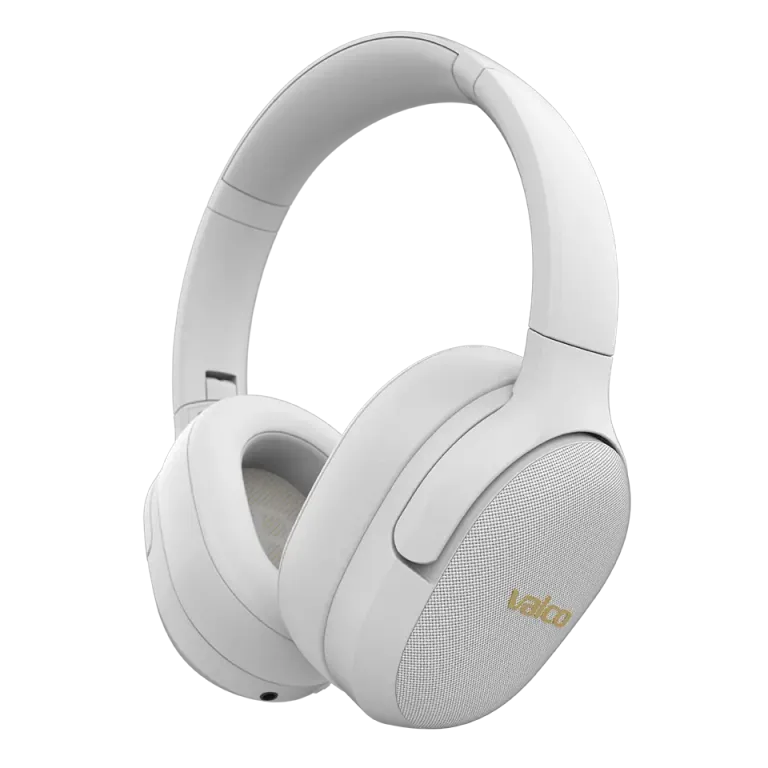
The VMK25 has three buttons on the right side: Vol+, MFB, and Vol-. Regardless of which one is broken, our repair team can replace or fix it.
Here's what you need to do:
- Take a photo of the broken bit. Doesn't need to be a work of art, just make sure the damage is visible.
- Dig up your order number (you'll find it in your order confirmation email).
- Send both to info@valco.fi and briefly describe what happened.
If the headphones are under warranty (24 months from the date of purchase) and it's a material or manufacturing defect, the repair is covered under warranty. If the button broke due to external force – say, the dog fancied a chew or someone sat on them – then the repair will cost you, but the price is a fraction of a new pair of headphones.
If nothing helps
The Bluetooth issue should be sorted with the steps above. If it isn't, there might be a hardware fault in the Bluetooth circuit – and even then, our repair team will handle it. Just drop an email to info@valco.fi and we'll figure it out.
We don't throw headphones in the bin. We fix them, use them, and listen to music. The Death Star isn't going to fund itself if everything ends up in a landfill.