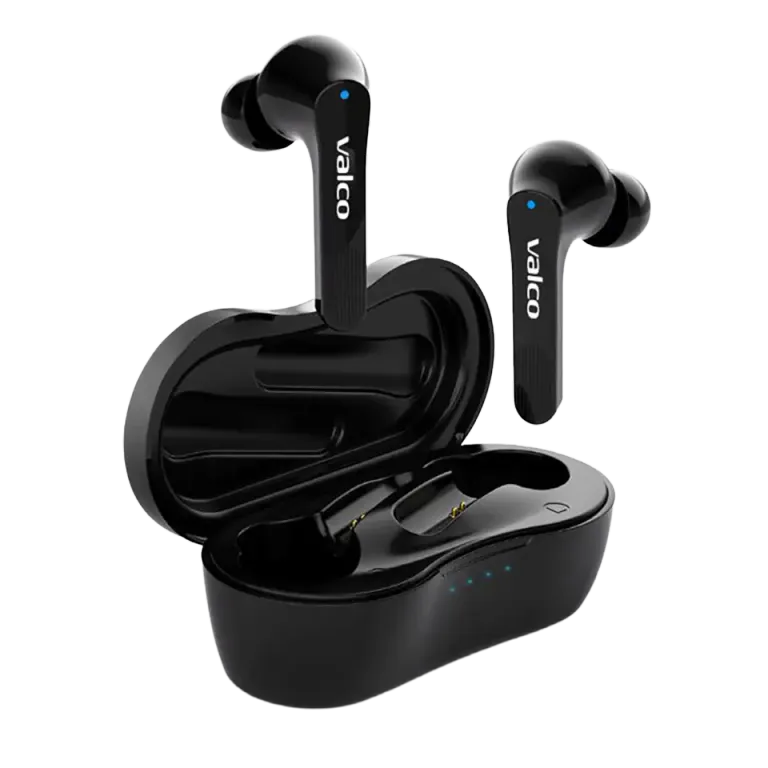
NL21 won't pair
The NL21 buds are refusing to cooperate. One bud connects to your phone, the other flashes purple like it's stuck in its own little reality. Or neither can find your phone. Or they find the phone but not each other. Sounds like a relationship problem, and honestly, that's pretty much what it is.
Good news: this is almost always a software hiccup, not a hardware fault. A couple of minutes and you'll be sorted.
Why won't the buds pair?
The most common reasons:
- The buds have ended up in different modes. One is trying to connect to your phone, the other is looking for its partner. They're literally speaking different languages.
- An old pairing is stuck in memory. If the buds were previously paired to another phone (or your coworker's device), they might be searching for that old connection instead of the new one.
- Protective sticker on the contacts. Yeah, this one's a classic. There's a small transparent protective sticker between the case and the buds that blocks charging. If the buds aren't charging in the case, they won't reset properly either. Check this one first.
- Your phone's Bluetooth list is clogged up. Your phone remembers old devices and gets confused.
How to fix it
1. Check that protective sticker
Open the case and look at the contact surfaces on the buds. If you see a thin plastic film – rip it off. This is such a common mistake that we really should've printed "REMOVE ME" on the sticker.
2. Reset the buds
- Place both buds in the case
- Plug the charging cable into the case (this is important)
- Hold down the touch panels on both buds for 5 seconds
- Wait until a blue light flashes once
- The buds are now back to factory settings
3. Remove the old pairing from your phone
- Go to your phone's Bluetooth settings
- Find NL21 (or "Valco") in the list
- Remove / forget the device
- This is the step everyone forgets
4. Pair again
- Take both buds out of the case. They'll power on and look for each other first.
- Wait a couple of seconds. Once the buds have found each other, one will start flashing – it's ready to pair.
- Open your phone's Bluetooth settings and select NL21 from the list.
- Done.
5. If only one bud connects
Sometimes only the right bud connects and the left one just sits there raging in purple. Do the reset again (step 2) and make sure both buds are in the case when you start. The buds pair with each other first, and only then with your phone. The order matters.
If nothing helps
If one bud is still living its own life after a reset, it might be a genuine fault. Get in touch with us at info@valco.fi. Include your order number and tell us what you've already tried. That way we save everyone's time.
We repair our devices in Kajaani. No need to chuck them in the bin and buy new ones – that would be our competitors' business model.