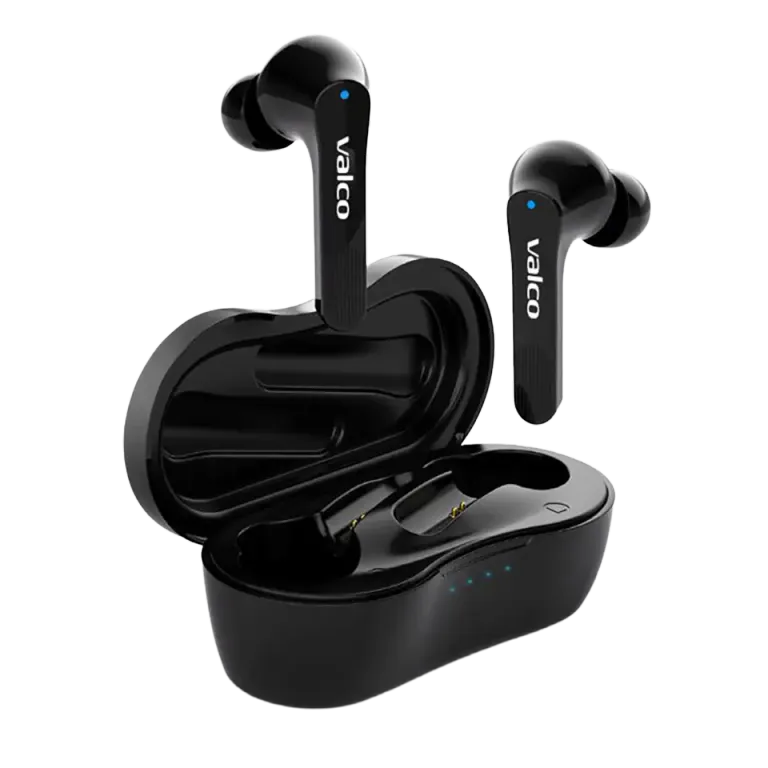
Classic situation. The earbuds have been sitting in a drawer for a few months, and when you finally get hyped for a run or a gym session, the buds won't wake up. The case charges, the light glows beautifully, but the earbuds themselves do absolutely nothing. Like trying to wake a teenager on a Saturday morning.
Good news: this is usually an easy fix. Bad news: you'll have to read this guide all the way through.
Why won't the buds wake up?
The most common reasons are these:
- Protective sticker on the contacts. Yep, this is surprisingly common. The NL21 buds have small protective stickers on the charging points that need to be removed before first use. Check both the bottoms of the buds and the charging contacts inside the case. If there's a thin plastic film or sticker, rip it off.
- The buds have gone into deep sleep. When the battery drains completely and the earbuds sit empty for a long time, they can enter a state where they won't wake up just by popping them in the case. You'll need a reset.
- The case contacts aren't making proper contact with the buds. Dirt, dust, or the bud is sitting slightly crooked in the case. No current flows, even though the case battery itself is full.
- The charger isn't delivering enough power. Some cheapo cables or old chargers can't properly charge the case, even if the light comes on.
How to fix it
Try these in order. Don't skip straight to step four.
- Check for protective stickers. Take the buds out of the case and look at the charging points. On both the buds and inside the case. If you find a sticker or film, remove it. This is the classic "I don't read manuals" move, and there's absolutely no shame in it.
- Clean the contacts. Wipe the charging pins on the buds and the contacts in the case with a dry cotton swab or cloth. Buds that have been living in your pocket collect all sorts of mysterious lint.
- Reset the buds. Place both buds in the case. Plug the charging cable into the case. Hold down the touch panel on both buds for 5 seconds. A blue light should flash once. That means the reset worked.
- Charge properly. Leave the buds in the case and the case on the charger for at least 2 hours. Preferably use a different cable or charger than before. Sometimes the cable is the culprit.
- Try again. Take the buds out of the case. They should power on automatically and enter pairing mode.
If the buds flash but won't connect to your phone, that's a different problem. Remove the old "NL21" pairing from your phone's Bluetooth settings and pair again.
If nothing works
If you've tried everything above and the buds are still as silent as a minute of silence, it's most likely a hardware fault. No worries – that's exactly why we have our own repair service in Kajaani.
Send us a message at info@valco.fi and include:
- Order number (found in your order confirmation)
- A photo of the buds and the case (so we can see what the contacts look like)
- A short description of what you've already tried
The NL21 comes with a 24-month warranty, so if the fault is a material or manufacturing defect, we'll sort it out. We fix things, we don't throw them in the bin.
And if the earbuds have been sitting in that drawer so long that even the warranty has expired – well, drop us a message anyway. We'll see what we can do. Nobody gets left alone with their earbud problems.