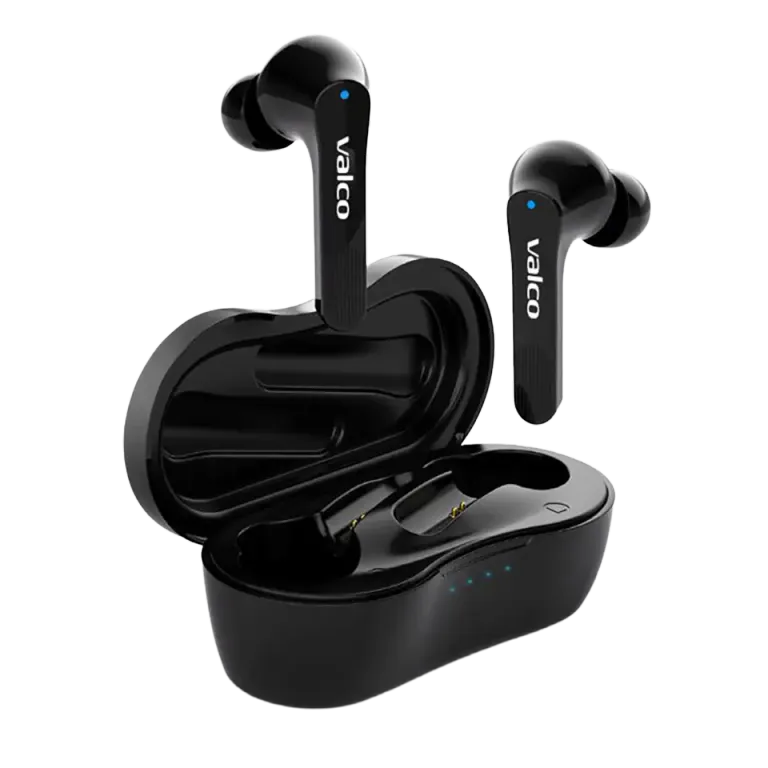
The headphones sound like a neighbor’s radio through a wall—you can hear that something is happening, but you can’t quite make it out. Your phone’s volume is maxed out and it still feels like you’re listening to music from under a pillow. A familiar problem, and usually easy to fix.
Why is the sound so quiet?
NL21 earbuds have their own volume, which is separate from the phone’s volume. So the phone can be at full, but if the earbuds’ own level is low, the sound will be faint. That’s how Bluetooth devices work—two separate volume controls, and both need to be set correctly.
Another very common culprit is the protective sticker. The contact surfaces of the NL21 buds have a transparent protective sticker from the factory. It’s so thin you might not even notice it. If the sticker is still in place, it muffles the sound and can interfere with the charging contacts.
A third possibility: the ear tip is blocking the sound port. If the tip is the wrong size or not seated properly, it can press over the sound tube and effectively dampen the sound.
How to fix it
- Check the protective stickers. Take the buds out of the case and check the contact surfaces and the bottom of the buds. If you find a thin plastic film, peel it off. The sticker is intended only for transport.
- Adjust the earbuds’ own volume. Pair the earbuds with your phone and turn the phone’s volume up to maximum. Then check the Bluetooth volume separately—in iPhone it usually appears in the same slider, but sometimes you’ll find a separate control under Settings > Bluetooth > NL21.
- Try a different size tip. Remove the silicone tip, check that there’s no dirt or earwax in front of the sound tube, and press the tip firmly back in place. Also try a different size tip—the package includes several sizes.
- Reset the earbuds. Put the buds in the case, connect the charging cable, and hold the touch panel on both buds for 5 seconds. The blue light will flash once. After this, pair the earbuds with the phone again.
- Check the phone’s settings. On iPhone, go to Settings > Music > Volume Limit and make sure there’s no limiter enabled. Also check Settings > Sounds to ensure Headphone Safety isn’t turned on.
If one bud is clearly quieter
If only one bud plays more quietly, there may be a blockage in the sound tube. Earwax is an ingenious enemy—it finds its way where it shouldn’t. Gently clean the mesh of the sound tube with a dry, soft brush. Don’t push anything sharp in there.
If the difference is large and cleaning doesn’t help, the driver may be the problem. Then it’s time for service.
If nothing helps
Sometimes electronics just decide to act up. If you tried all of the above and the sound still feels like you’re listening to a concert from the parking lot, send us a message at info@valco.fi. Provide your order number and describe the issue—our service team in Kajaani will sort it out. Around here, headphones get repaired, not thrown away.
And remember—every contact brings us 0.000001% closer to the Death Star.