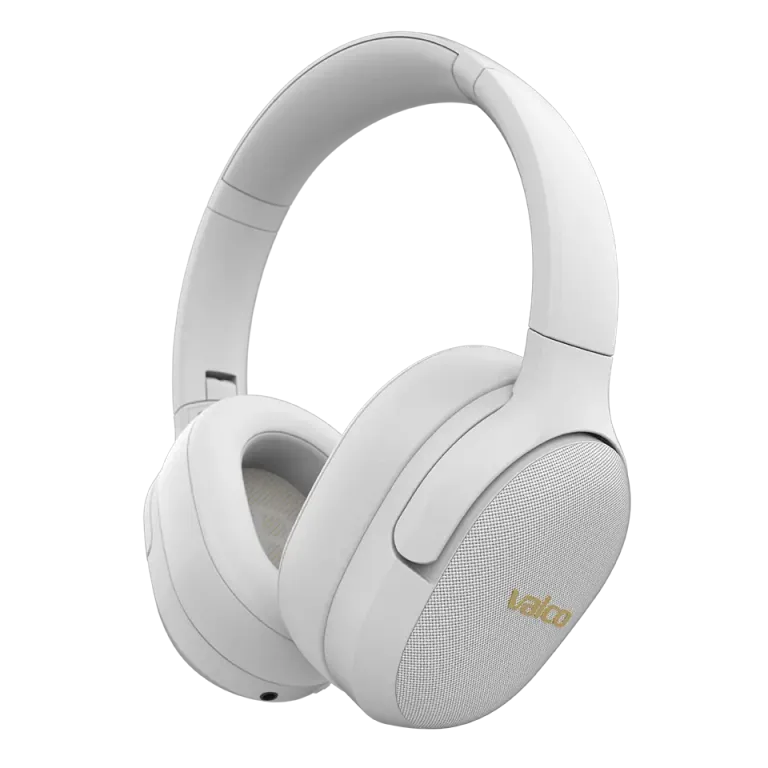
How to use the ANC and transparency features?
You press the button on the left cup and wait for the world to go quiet. Nothing happens. You press again. Maybe you hear a small click, maybe not. Third press — same thing. You start to suspect the button is just for show.
It isn't. Let's go through how ANC and transparency really work, and why the difference doesn't always feel dramatic.
How the ANC button works
There is one button on the left cup of the VMK25 that cycles through three modes:
- ANC on – active noise cancelling engaged
- Transparency (transparency) – microphones let environmental sounds through
- ANC off – no noise cancelling, no transparency, just passive isolation
Each press moves to the next mode. You'll hear a small tone when switching. If you don't hear any tone, the button isn't registering the press — press the button itself, not the edge of the cup.
Why you might not hear a difference
Here's the thing no marketing department will tell you: ANC removes low frequencies. Airplane rumble, HVAC hiss, traffic roar — those disappear effectively. Speech, kids screaming, dog barking, and keyboard tapping are higher-pitched sounds that ANC doesn't tackle very well. Not ours, not anyone else's.
If you're sitting in a quiet living room and testing ANC, the difference is minimal. There's simply no low noise there to remove. Get on a bus, a train, or into an open-plan office — that's where you'll notice the difference.
Another common reason: the headphones don't seal properly. ANC needs airtight cups to work.
- Move hair behind your ears, out from under the cups
- Eyeglass temples break the seal — try without glasses for comparison
- Check that the pads are intact and even
- Adjust the headband so the cups press evenly against your ears
If there's even a small gap between the pads and your ear, ANC performance collapses. Physics, plain and simple.
Transparency doesn't seem to work
Transparency mode (transparency) uses external microphones to let ambient sounds into the headphones. If you're listening to music at full volume, you naturally won't hear much of your surroundings even with transparency. Turn the music down low or stop it entirely, then try again.
A good test: put the headphones on with no music and switch modes. In transparency mode the environment sounds more natural, in ANC mode the background gets quieter, and in off mode you hear only what passive isolation lets through.
Try these too
- Reset the headphones: Plug in a 3.5 mm AUX cable and unplug it. This resets the Bluetooth circuit and can fix a stuck ANC state.
- Charge the battery: ANC uses power. If the battery is low, the headphones may switch ANC off automatically.
- Test in a noisy environment: A quiet room is not the right place to test. Go to a café or turn on a vacuum cleaner.
If that doesn't help
If you've tried everything above and there's no difference at all between ANC and off even in a noisy environment, there may be a hardware fault. Send us a photo of the headphones, your order number, and a description of the problem to info@valco.fi. Our service team in Kajaani will sort it out.
Just remember that ANC doesn't create a vacuum of sound. It makes the world more bearable — which is, after all, quite a lot.