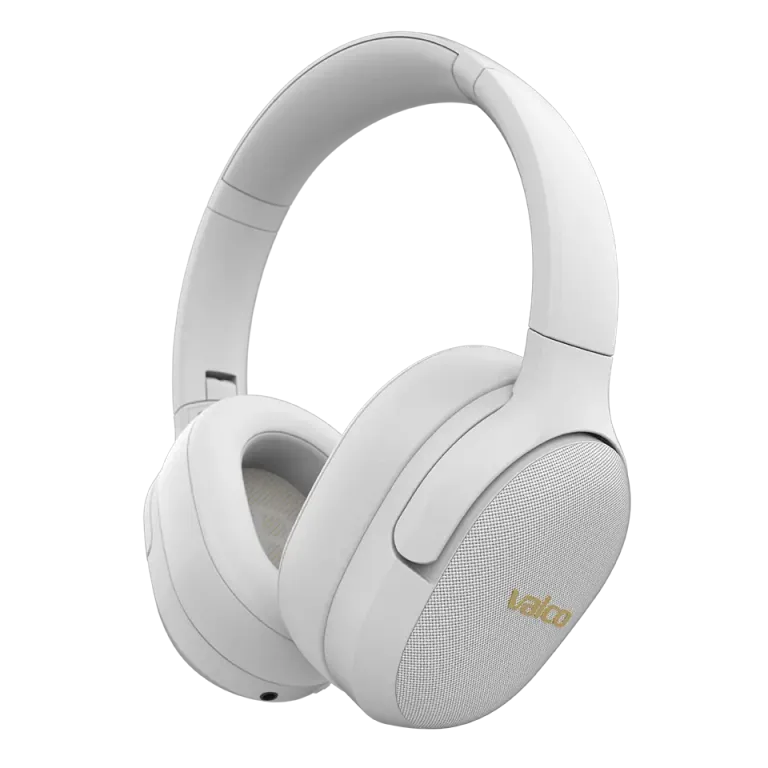
Noise cancelling is a bit like the neighbor’s dog – when it works, life is lovely and quiet. When it doesn’t, you want to throw the whole thing out the window. Don’t. This is almost always fixable.
In Valco noise-cancelling headphones (VMK25.2, VMK25, VMK20, VMK15 and NL25) ANC is based on microphones that listen to ambient sound and produce anti-noise. When something goes wrong in this chain, the outcome ranges between “no effect at all” and “there’s a beehive living inside my head.”
What went wrong?
The most common reasons noise cancelling acts up:
- The firmware is outdated. Firmware updates fix the ANC algorithm. If you haven’t updated, the headphones may behave like a teenager – unpredictably.
- The ear pads don’t seal properly. ANC needs a good seal against your ear. Worn, flattened or improperly seated pads let sound leak by, and noise cancelling loses its effectiveness. With fabric-covered pads ANC isn’t as effective as with synthetic leather ones – that’s physics, not a bug.
- The Bluetooth connection is interfering. Sometimes the headphones try to connect to two devices at the same time, and the ANC and audio get mixed up.
- The ANC button is stuck. A mechanical fault – the button is pressed in and doesn’t respond. This is rarer, but it happens.
- A microphone is clogged. Lint or dust carried in a pocket has gotten into the ANC microphone opening. Even a small blockage messes up noise cancelling.
How to fix it
Work through these in order. Most issues are solved by the first three steps.
- Update the firmware. Download the Valco app (iOS / Android), connect the headphones and check for updates. Install everything available. This alone fixes a surprising number of ANC issues.
- Perform a factory reset. Over-ear headphones (VMK series): plug in the AUX cable and unplug it. This resets the headphones. On NL25 earbuds: see the app or support site for model-specific instructions.
- Check the ear pads. Are they properly seated? Are they flattened? Twist the pad off and reinstall it properly. If the pads are clearly worn, replace them with new ones – it makes a huge difference.
- Clean the ANC microphones. Blow gently to clear the microphone ports. Do not insert a needle or anything sharp.
- Disable multipoint. If the headphones are connected to two devices, disconnect one and test ANC again.
- Test in the right environment. ANC effectively removes low, steady sounds – airplane hum, office air conditioning, trains. It doesn’t remove children shouting, speech, or sudden sounds. That’s just how physics works.
If that doesn’t help
If noise cancelling doesn’t work after trying these steps, or with ANC on you hear strange buzzing, pulsing, or sound comes only from one earcup, it may be a hardware fault. Service is needed in that case.
Send us an email at info@valco.fi. Include:
- Order number or purchase receipt
- Headphone model
- Short description of the issue
- Photo or video, if possible
Our service team in Kajaani will repair the device. During the warranty period (24 months) the repair is free of charge, unless the fault is because the dog used the headphones as a chew toy. We’ll still fix it then – but the repair package costs.
Valco headphones are repaired, not thrown away. That sets us apart from those companies whose customer service suggests buying a new one. With us, Jasse and the rest of the crew open up the headphones, replace parts, and send them back. It’s a bit like a car repair shop, but for smaller devices – and without the oily rags.