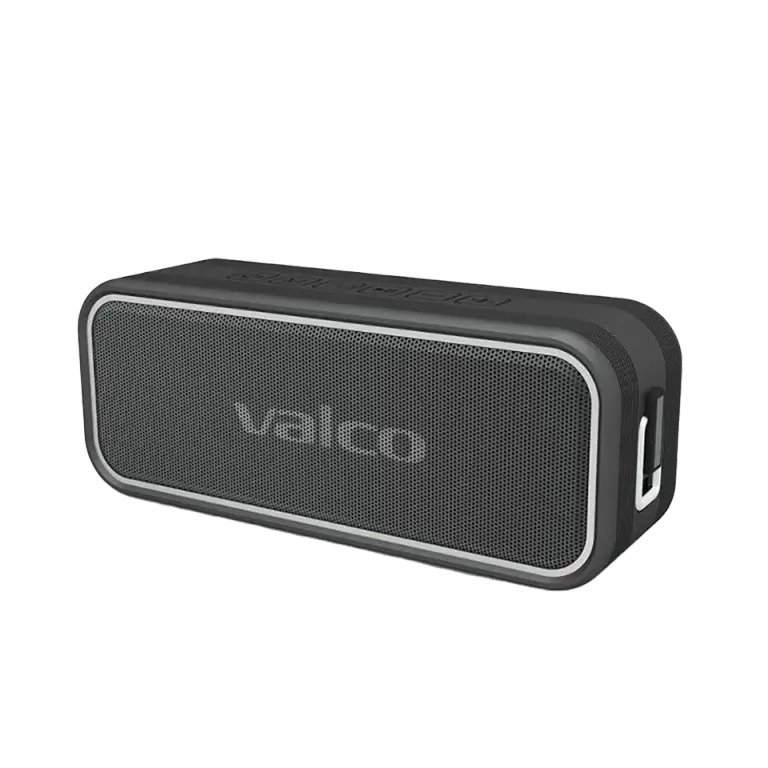
Nordell Mk3 won’t turn on – what to do?
The speaker conks out mid-YouTube session, you put it on charge overnight, and in the morning — nothing. No light, no sound, no signs of life. Feels like trying to wake a teenager on a Saturday morning.
Don’t plan the funeral yet. Most often it’s either the charger or the speaker’s electronics have frozen. Both can be fixed at home.
Why does Nordell Mk3 play dead?
There are three common reasons:
- The charger doesn’t supply enough power. Nordell Mk3 wants a 5V/3A USB-C charger. Many phone or tablet chargers fall well short, so the speaker may look like it’s charging (red light turns on), but the battery doesn’t actually fill properly. An old 5V/1A plug isn’t enough.
- The electronics are stuck. Sometimes the speaker’s controller gets tied in knots. Just like a computer — sometimes it just freezes. It’s nobody’s fault; electronics are like that.
- The battery is completely drained. If the speaker has been sitting empty for a long time, the battery can be so low that the device doesn’t respond to the charger right away. It needs a moment of “waking up” before it’ll even show a light.
How to fix it
Go through these in order:
- Check the charger. Use a USB-C charger that supplies at least 5V/3A. The small charger that came with your phone may not be enough. If you have a laptop USB-C charger, try that — they’re usually powerful enough.
- Swap the cable. USB-C cables aren’t immortal. Try another cable if you have one. Cheap cables lose contact surprisingly quickly.
- Let it charge undisturbed for 30 minutes. If the battery is completely empty, the speaker might not start right away. Plug in the charger, wait half an hour, and then try again. The red light should turn on within a few minutes.
- Reset the device. Hold the power button down for 5 seconds. Not a gentle tap but a proper long press. Release and press again normally.
- Try a different wall outlet. Sounds silly, but sometimes the problem is in the wall, not the speaker.
If the charging light works but the speaker won’t start
If the red light turns on while charging and turns off when the battery is full, the charger is working correctly. Then the issue lies elsewhere. Try this:
- Disconnect the charger completely
- Wait 10 seconds
- Hold the power button for 5 seconds
- Release, wait a couple of seconds
- Press the power button again normally
If the speaker wakes up but won’t connect to the phone, hold the M button for 5 seconds — it forces the device into Bluetooth pairing mode.
If nothing helps
If you’ve tried everything above and the speaker doesn’t respond in any way, contact us at info@valco.fi. Attach:
- Order number (found in the order confirmation)
- A photo of the speaker (just so we can see the model and condition)
- A short description of what you’ve already tried
Our service team in Kajaani will repair the device. We repair headphones and speakers here, we don’t throw them away — that’s how this works. The warranty is 24 months, so if the device is within that period, the repair won’t cost you anything.
And if the speaker turns out fine but the charger is faulty, no worries. That’s a cheaper problem than the Death Star’s budget shortfall.