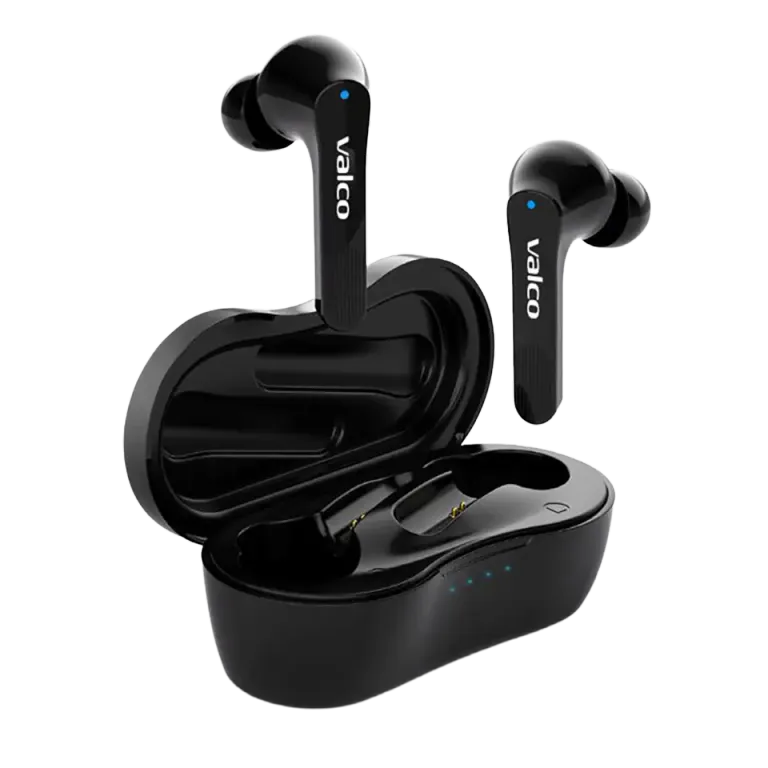
NL21 buds won't charge. The battery died, you put the buds in the case, and nothing happens. Familiar situation. Usually the cause is either laughably simple or needs a bit of troubleshooting. Let's go through both.
Protective tape: the classic
The NL21's charging contacts have small transparent protective strips on them. They're there for shipping, and they need to come off before use. The tape is deliberately unnoticeable, because that's just how life is.
This is by far the most common reason charging doesn't work on new earbuds. No worries, you're not the first and you won't be the last. Check both the bottoms of the buds and the contacts inside the case.
How to fix it
Go through these in order:
- Remove the protective tape. Check the charging surfaces on the buds and the contacts inside the case. Peel off any tape or film you find.
- Clean the contacts. If the earbuds have been in use for a while, the contacts collect pocket lint, earwax, and other bits of life. Wipe them with a dry cotton swab or a small brush.
- Try a different USB-C cable. Not all cables are created equal. That cheapest cable from the box might be charge-only, or it might simply be broken. Try a different one.
- Try a different charger. Your computer's USB port sometimes doesn't supply enough power. Use your phone's wall charger instead.
- Check how the buds sit in the case.The NL21 buds go into the case in a specific orientation. If a bud isn't seated properly, the contacts won't line up. Press the buds firmly into place and make sure they click in.
- Reset the buds. Put the buds in the case, connect the charging cable, and hold down the touch panel on both buds for five seconds. The blue light will flash once. This resets the buds.
If the case doesn't charge at all
If the case's LED doesn't react at all when you plug in the cable, the problem is likely the USB-C port or the case's battery. Try once more with a different cable and a different charger. If that doesn't help, it's a hardware fault.
If nothing helps
If you've gone through all the steps and nothing saved the day, get in touch with us at info@valco.fi. Include in your message:
- Order number
- A photo of the inside of the case (so we can see the condition of the contacts)
- A short description of what you've tried
A fault covered by the warranty is handled as a warranty replacement: you get a working unit in its place at no extra cost. The NL21 comes with a 24 month warranty, and a charging issue is exactly the kind of thing that's covered, as long as you haven't been using the case as an ashtray.
And remember: every recycled earbud is one step closer to the Death Star. We don't throw anything away.