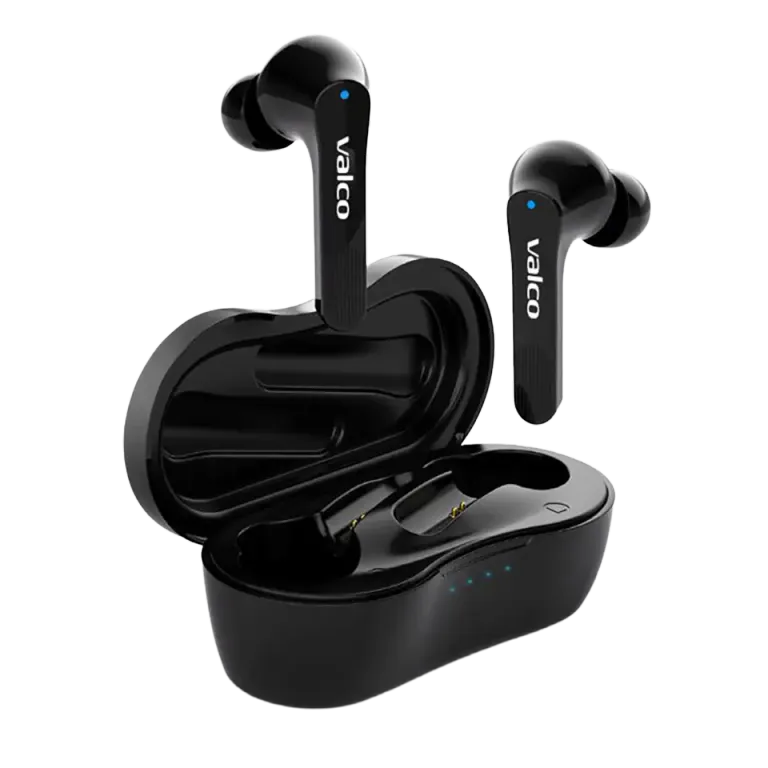
Device won't charge. The red light is flashing like an ambulance or there's absolutely nothing happening. We've all been there. This is one of the most common reasons people contact us, and luckily the cause is usually something mundane – not some catastrophic electronics death.
Let's go through the most common causes and fixes, product by product.
Why won't the device charge?
There are basically four reasons:
- The cable is rubbish. Seriously. USB-C cables don't last forever, and cheap ones can have such thin copper inside that power barely trickles through. This is by far the most common cause.
- The charger is too powerful or too weak. Some fast chargers pump out so much power that the device's protection circuit gets confused. On the other hand, an old 500mA charger might be too slow to get things going.
- The charging port is full of lint and dust. Pockets are dusty places. Over time, a compressed plug of gunk builds up in the port and stops the connector from going all the way in.
- The battery has fully drained. If the device has been sitting unused for months, the battery can drop so low that it won't react to the charger right away. It needs time to wake up.
How to fix it
Start with these. The order matters.
1. Swap the cable
Grab a different USB-C cable. Preferably one that came with an actual device – not that three-euro petrol station special. If charging starts working, bin the old cable.
2. Swap the charger
Try a regular phone charger that outputs 5V/1A or 5V/2A. Avoid beefy fast chargers (a 65W laptop charger is not the ideal choice). A computer's USB port works for testing too, even though it's slow.
3. Clean the charging port
Grab a toothpick or a dry, soft brush and carefully dig the port clean. Don't use anything metal. You'd be surprised how big a chunk of lint can come out of there sometimes.
4. Let the device wake up in peace
If the device has been sitting unused for a long time, plug it in and leave it for at least 30 minutes before you expect any indicator lights. A completely dead battery might not show signs of life straight away. Patience.
5. Do a reset
This depends on the device:
- Over-ear headphones (VMK series): VMK20 and VMK25 reset by plugging in an AUX cable and unplugging it. On the VMK25.2, hold Vol+ and Vol− together for about three seconds. On the VMK15, hold the same buttons for about five seconds.
- Earbuds (NL series): Here's how to reset the NL25: place the buds in the case, open the lid, and hold the case button down for five seconds. On the NL21, put the buds in the case, plug in the charging cable, and hold the touch panels down for five seconds. If the left or right bud won't charge in the case, clean the charging pins in the case and the contact surfaces on the buds with a dry cloth. Even a tiny film of grease on the contacts is enough to prevent charging.
- Speakers (Nordell series): The Nordell Max resets by holding the Play button down for eight seconds, or as the manual puts it, "press for an eternity." On the MK3, a long press of the Play button is enough. If the speaker is completely frozen, this wakes it up, after which you can try charging again.
If nothing helps
If you've gone through all the steps and nothing did the trick, it's most likely a hardware fault – the charging circuit or the battery has given up the ghost. Electronics break sometimes, that's just how it goes.
Get in touch with us: info@valco.fi. Include in your message:
- Order number (or tell us where and when you bought it)
- A photo of the device and the charging port
- A short description of what you tried and what happened
Our service team will sort it out. Over-ear headphones (VMK models) are repaired: free of charge under warranty (24 months), and outside warranty for a flat repair package of €69, which includes parts, shipping both ways, and a one-year extended warranty on the repair. Earbuds and Nordell speakers aren't repairable: under warranty, a defective device gets replaced with a working one, and broken ones get taken apart for spare parts. Nothing gets thrown away here.
And remember – every repaired device is one step closer to the Death Star. Nothing more to it than that.