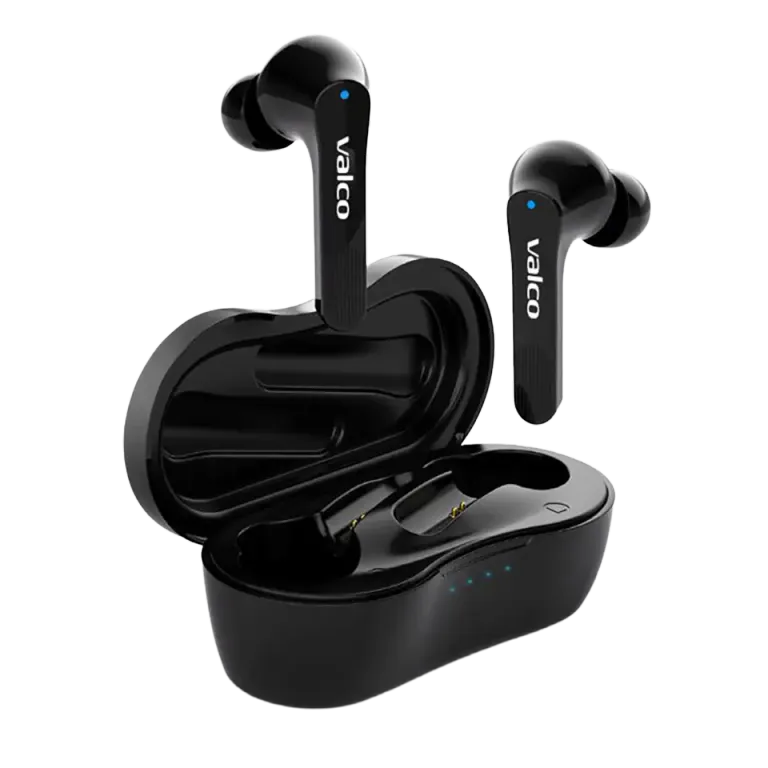
The music plays, until it doesn't. The NL21's connection cuts out, and you start suspecting the earbuds, your phone, or your own sanity. Let's go through the causes in order of likelihood: usually the problem isn't any of those three, it's the conditions around you.
Most common causes and fixes
1. Range and obstacles
The NL21 uses Bluetooth 5.0, which has a range of about 10 meters in open space. A concrete wall, a fridge, or your own body (yes, water dampens the signal) eats up a big chunk of that. If your phone is in your back pocket and the earbud is on the opposite side of your head, the signal has to go through you.
- Keep your phone on the same side of your body, or at least in a chest pocket
- Don't leave your phone in another room
2. Battery running low
The NL21 plays for about 7.5 hours on a single charge. When the battery's low, the connection often starts stuttering before the earbud shuts off completely.
- Put the earbuds in the case for 15 minutes and try again
- Check the case's battery by lightly pressing its button
3. Radio interference
Wi-Fi routers, microwaves, and a crowded 2.4 GHz band (thanks, apartment building) all mess with Bluetooth. If the connection drops in the same spot every time, the environment is probably the culprit.
4. Pairing memory gone haywire
If none of the above explains it, reset the connection:
- Remove the NL21 pairing from your phone's Bluetooth settings
- Put the earbuds in the case and plug in the charging cable
- Press and hold the touch panel on both earbuds for 5 seconds. The blue light will flash once
- Take the earbuds out of the case and pair again
If that doesn't help
If the connection still cuts out in a spot where other Bluetooth devices work fine, drop us a message at info@valco.fi. Tell us your order number, phone model, and when the dropouts happen. Warranty is 24 months, and a warranty defect gets handled by swapping in a working unit.