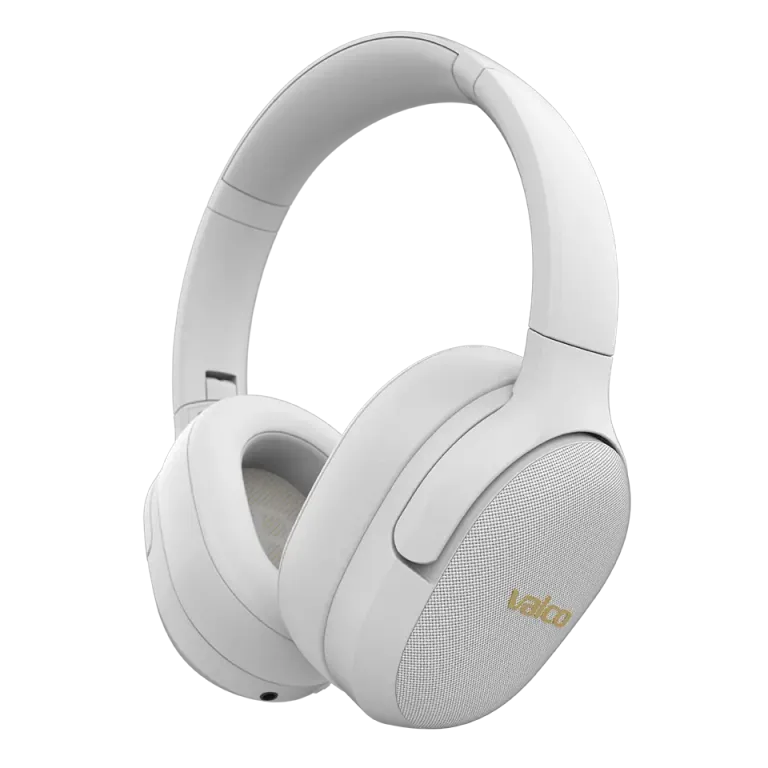
Noise-cancelling button not working on VMK25?
Does your VMK25 work flawlessly otherwise, but the ANC button on the left cup has decided to retire? Annoying, but not the end of the world. This is one of those faults that usually gets resolved either with a firmware update or a repair. Let’s go through the options.
What went wrong?
The ANC button on the left cup of the VMK25 cycles through three modes: ANC on → transparency → ANC off. If the button doesn’t respond to anything, there are basically three reasons:
- Firmware issue – The software has gotten tangled. It happens sometimes, as with all electronics.
- Mechanical fault – The button itself or its connection has broken. Physics wins in the end.
- Moisture or dirt under the button – If the headphones have been used in sweaty conditions or a humid environment, the button contact may be obstructed.
Most often it’s the firmware. Less often a mechanical fault, but that too is fixable.
How to fix it
Try these in order:
- Reset the Bluetooth circuit – Plug a 3.5 mm AUX cable into the headphones and unplug it. This resets the BT circuit, and the software restarts. Simple, but surprisingly effective.
- Charge the battery fully – Sounds silly, but a low battery can sometimes cause strange behavior. The ANC circuit draws power, and if the battery is very low, the headphones may save power by disabling ANC.
- Check the button’s mechanical action – Does it feel like a normal click when you press it? If the button depresses but nothing happens, it’s likely an electronics issue. If the button doesn’t move at all or feels loose, a mechanical fault is obvious.
- Try cleaning – If the headphones have seen heavy use, blow some compressed air gently around the button. Sometimes a tiny bit of debris or a speck of dust is enough to block the contact.
If that doesn’t help
If the reset and update don’t bring the ANC button back to life, it’s likely a mechanical or board-level fault. At this point, you’ll need help from Jasse and the service team in Kajaani.
Send us:
- A photo of the headphones (especially of the ANC button on the left cup)
- Order number or purchase receipt
- A short description of when the fault started
You can send these to info@valco.fi or via the support site.
If the headphones are under warranty (24 months from the purchase date), the repair is of course free. Outside the warranty, the repair package is reasonably priced — much cheaper than new headphones, and you’ll get your working headphones back.
Here, we repair headphones; we don’t throw them away. That’s what sets us apart from those big companies whose customer service tells you to buy new ones. Every repaired pair is a small win for both your wallet and the planet — and one more step closer to that Death Star.