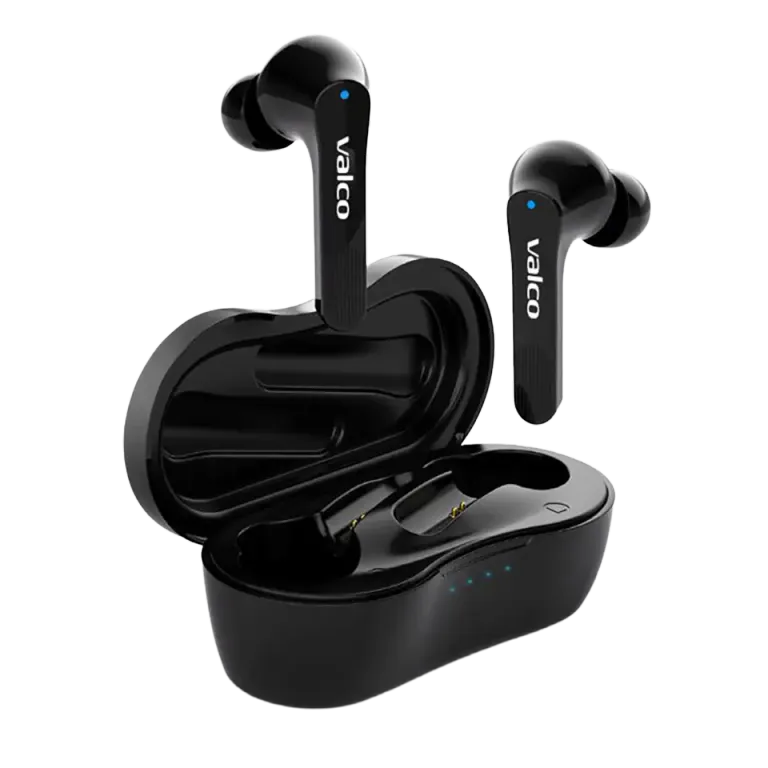
What's in the box
Your NL21 package includes: earbuds, charging case, USB-C charging cable, replacement ear tips (various sizes), and instructions. Please check that all items are present.
First, charge them up
Charge the charging case fully before the first use. Connect the USB-C cable to the case — the LED indicator light will show the charging status.
The earbuds will charge automatically when they are in the case. Make sure they are properly seated and the contact pins align.
Bluetooth Pairing
1. Open the charging case lid. The earbuds will power on automatically.
2. The first time you use them, the earbuds will automatically enter pairing mode. The LED will flash rapidly.
3. Open your phone's Bluetooth settings.
4. Find "NL21" in the device list and tap to connect.
5. You'll hear an audio prompt from the earbuds once the connection is established.
6. Place the earbuds in your ears and enjoy your music!
Changing Ear Tips
The correct ear tip size is crucial for both sound quality and comfort. If the earbuds fall out of your ears or the bass feels weak, try switching to a different size ear tip.
The package includes S, M, and L-sized ear tips. Experiment with different sizes to find the one that best seals your ear canal without feeling uncomfortable.